Showing posts with label Chat. Show all posts

Friday, April 15, 2011

Ask questions to Google Talk Guru

Google has recently introduced a service that allows you ask question to Google and in return Google will tell you the answer to your question. This is an experimental service launched by Google, where you can chat with the Google Guru and ask you questions.

Google Talk Guru setup
1. Log on to your Google account and sign in to Google chat.
2. Click on the link Google Talk Guru and click on Invite myself to chat with Guru or send a chat invitation to guru@googlelabs.com


Tuesday, July 20, 2010

Shortcut to chat with best Google talk buddies

Google talk is the fastest chat platform that lets you chat with you friends who use gmail and orkut. Now this simple technique can make a shortcut to have some chat friends to be placed on your desktop. This trick works only on Windows XP.Create chat shortcut on desktop

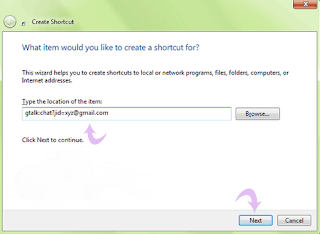
1. Right click on the desktop anywhere and create a shortcut with following code.
gtalk:chat?jid=xyz@gmail.com


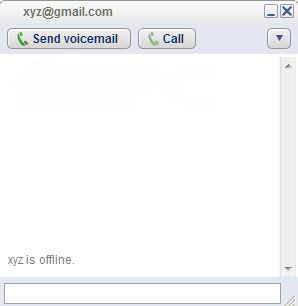
2. Now the chat shortcut to your buddy will be placed onto the desktop.


Therefore, you can create as many shortcuts for your Google talk chat buddies placed on the desktop in Windows XP system. Handy, isn't it?


Thanks for Stopping by Tech75. You can leave a comment to let me know your feedback and can also subscribe to the RSS feeds for regular updates.
Related Posts with Thumbnails

Categories

Top Internet blogs

Pages

Subscribe @ Techphilia

Enter your email address:

Delivered by FeedBurner

Pages

Indulge in Techphilia

 Techno Galaxy with some tips and tricks and latest offering from Internet

Latest @ TechPhilia